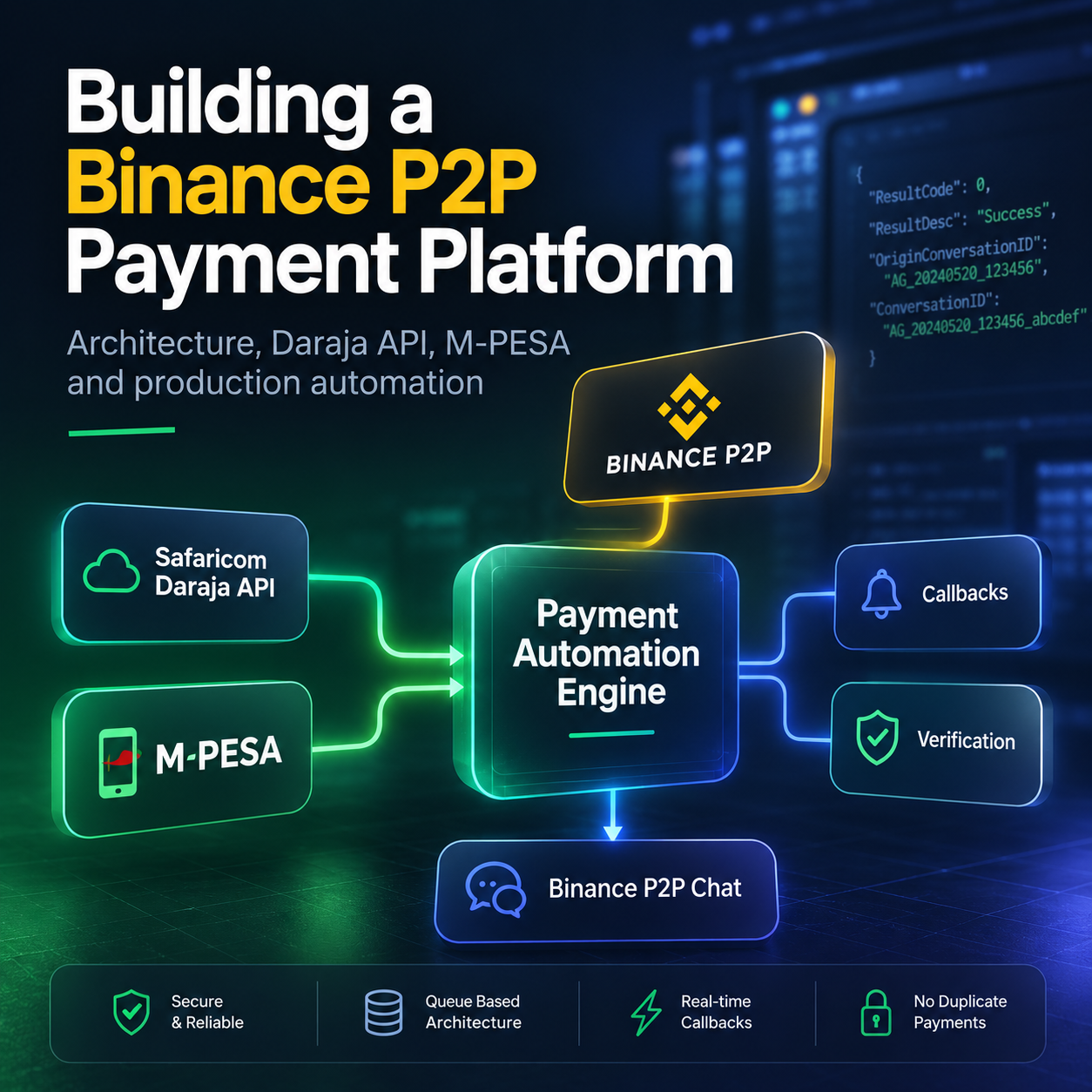
Binance P2P M-PESA Payment Bot for Kenya - Automating Payments with the Safaricom Daraja API
Managing a growing number of Binance P2P trades manually quickly becomes repetitive and time-consuming. Every transaction requires switching between Binance and M-PESA, confirming payments, monitoring transaction status, and updating orders. This article explains how a Binance P2P M-PESA Payment Bot built with the official Safaricom Daraja API can automate large parts of this workflow while maintaining secure payment verification, callback processing, and production-ready transaction management.
Automation isn't about replacing traders. It's about eliminating repetitive work while improving reliability and transaction accuracy.
How to Automate Binance P2P M-PESA Payments in Kenya
As cryptocurrency adoption continues to grow across Africa, Binance P2P has become one of the most popular ways to buy and sell digital assets in Kenya.
At the same time, M-PESA remains the country's dominant payment platform, processing millions of transactions every day for both individuals and businesses.
For many professional Binance P2P merchants, these two systems have become part of the same daily workflow.
A new order appears on Binance.
The seller opens M-PESA.
The payment is sent manually.
The merchant waits for confirmation.
Finally, they return to Binance and continue processing the order.
This process works perfectly when handling only a few trades each day.
However, once the number of transactions starts growing, manual payment processing quickly becomes the biggest bottleneck.
The Challenge of Manual Payment Processing
Imagine processing one hundred Binance P2P BUY orders during a busy trading day.
Every order requires almost identical actions:
New Binance P2P Order
          │
          ▼
Open M-PESA
          │
          ▼
Enter Customer Details
          │
          ▼
Confirm Payment
          │
          ▼
Wait for Confirmation
          │
          ▼
Return to Binance
          │
          ▼
Continue Processing
None of these actions are particularly difficult.
The problem is repetition.
Repeating the same workflow hundreds of times every day consumes valuable time and significantly increases the possibility of human error.
Something as simple as entering the wrong amount, selecting the wrong recipient, or missing an order notification can interrupt the entire trading process.
As trading volume grows, merchants begin spending more time moving between applications than actually managing their business.
When Manual Work Stops Scaling
Every successful payment follows almost the same sequence.
The trader receives a new Binance order.
They switch to M-PESA.
They send the payment.
They wait for confirmation.
Then they return to Binance.
The individual steps may only take a minute or two, but multiplied across hundreds of transactions they quickly become several hours of repetitive work every single day.
At this point the challenge is no longer sending payments.
The challenge becomes managing time, reducing operational mistakes, and keeping transaction processing consistent under increasing workload.
Can This Workflow Be Automated?
This question naturally appears as trading volume increases.
Can Binance detect new orders automatically?
Can M-PESA payments be initiated without manually opening the application?
Can payment confirmation be verified automatically?
Can the merchant receive immediate status updates without constantly monitoring multiple screens?
The answer is yes.
Instead of automating mouse clicks or controlling a mobile phone, modern payment automation can be built using the official APIs provided by both platforms.
The Binance API supplies real-time order information, while the Safaricom Daraja API provides secure access to M-PESA payment services.
Combining these technologies makes it possible to build a reliable payment automation platform capable of processing transactions with significantly less manual interaction.
Designed for Real Trading Workflows
The goal of this project was never to replace the trader.
Instead, the objective was to eliminate repetitive manual tasks while allowing the trader to remain in complete control of the payment process.
Rather than relying on browser automation or screen scraping, the platform communicates directly with official APIs, verifies every transaction through callback notifications, and maintains a complete transaction history for auditing and monitoring.
The result is a payment workflow that is faster, more reliable, and considerably easier to scale as trading volume grows.
In the following sections, we'll take a closer look at how the platform is built, why callback-based verification is more reliable than constant polling, and how the Safaricom Daraja API enables secure M-PESA payment automation for Binance P2P merchants in Kenya.
System Architecture: How Binance, Daraja and M-PESA Work Together
A reliable Binance P2P M-PESA payment bot is not simply a script that detects an order and sends money.
It is a coordinated payment workflow where every component has a clearly defined responsibility.
The system must detect the Binance P2P order, prepare the payment request, communicate with the official Safaricom Daraja API, wait for the M-PESA result, verify the callback, and only then continue processing the Binance order.
At a high level, the architecture looks like this:
Why the Architecture Is Split into Modules
A common mistake in automation projects is placing all logic inside one large process.
The same script detects the order, sends the payment, waits for a response, writes logs, sends messages, and updates the final status.
This may work during early testing, but it quickly becomes difficult to maintain.
A modular architecture is more reliable because each part of the platform can be tested, monitored, and updated independently.
Binance Adapter
Communicates with Binance, detects new P2P orders, reads order status, and sends chat messages.
Order Service
Normalizes order data and decides whether the order is valid and ready for payment processing.
Payment Engine
Creates the internal transaction, prevents duplicate processing, and controls the payment lifecycle.
Daraja Adapter
Handles authentication, B2C payment requests, request identifiers, and communication with the Safaricom Daraja API.
Callback Handler
Receives asynchronous payment results and maps them to the corresponding internal transaction.
Verification Service
Confirms that the callback belongs to the correct order and matches the expected amount, recipient, and transaction state.
Step 1: Detecting the Binance P2P Order
The process begins when a new Binance P2P BUY order appears.
The order detection engine retrieves the information required for payment processing, including:
- Binance order number
- advertisement number
- trade type
- fiat currency
- crypto asset
- payment amount
- recipient payment details
- counterparty information
- current order status
The order is then normalized into an internal structure that the payment engine can understand.
{
  "orderNumber": "123456789",
  "tradeType": "BUY",
  "asset": "USDT",
  "fiat": "KES",
  "totalPrice": "1295.00",
  "paymentProvider": "MPESA",
  "status": "NEW_ORDER"
}
At this stage, no payment is sent yet.
The system first validates the order and checks whether the same Binance order has already been processed.
Step 2: Creating the Internal Payment Transaction
Before contacting Daraja, the payment engine creates an internal transaction record.
This record connects the Binance order to the future M-PESA payment and becomes the central source of information throughout the entire workflow.
A typical internal transaction may contain:
- Binance order ID
- internal payment reference
- recipient phone number
- payment amount
- payment provider
- creation time
- current payment state
- Daraja request identifiers
- final M-PESA transaction reference
The initial state may look like this:
NEW_ORDER → VALIDATED → PAYMENT_CREATED
Creating the transaction before sending money is important because the application must already know what it is waiting for when Safaricom later returns the callback.
Step 3: Sending the B2C Request Through Daraja
Once the order passes validation, the Daraja adapter prepares an authenticated M-PESA B2C payment request.
The request includes the payment amount, recipient, transaction reference, callback URLs, and the configured business command.
The simplified request flow is:
After Safaricom accepts the request, the payment is usually still being processed.
The initial API response should therefore not be treated as final confirmation that the recipient has received the money.
The internal transaction moves to:
PAYMENT_REQUESTED → WAITING_CALLBACK
Step 4: M-PESA Processes the Payment
After the request is accepted, the M-PESA network processes the payment.
This stage happens outside the application.
The result may depend on:
- recipient account availability
- business account permissions
- available account balance
- transaction limits
- network processing
- Safaricom validation rules
Because the result is asynchronous, the bot does not block the entire application while waiting.
Instead, the transaction remains in the WAITING_CALLBACK state until the callback server receives the final result.
Step 5: Receiving the Daraja Callback
The callback is one of the most important parts of the architecture.
Safaricom sends the final transaction result to the callback endpoint configured in the original B2C request.
The callback handler then identifies the corresponding internal payment using the stored request identifiers.
A successful callback moves the transaction to:
PAYMENT_SUCCESS
A failed callback may move it to:
PAYMENT_FAILED
An unclear result may require a separate state:
REQUIRES_REVIEW
This is safer than treating every delayed or incomplete response as either a success or a failure.
Step 6: Verifying the Transaction
Receiving a callback is not enough by itself.
The platform must verify that the callback matches the payment created for the Binance order.
The verification service compares:
- internal transaction ID
- Daraja request identifier
- expected payment amount
- expected recipient
- result code
- transaction reference
- current processing state
Only after these checks pass is the payment considered confirmed.
A callback should confirm an existing transaction. It should never create trust by itself.
Step 7: Continuing the Binance Workflow
After successful payment verification, the platform can continue processing the Binance P2P order.
Depending on the configured workflow, the bot may:
- send a confirmation message through Binance P2P Chat
- include the M-PESA transaction reference
- notify the merchant through Telegram or a dashboard
- update the internal order status
- mark the order as paid after all checks pass
A typical Binance chat message could look like this:
Payment has been sent successfully.

M-PESA reference: ABC123XYZ

Please verify the payment and release the crypto.
The important point is timing.
The message is sent only after the M-PESA transaction has been confirmed, not immediately after the initial B2C request.
The Complete Payment Lifecycle
Why This Architecture Is Reliable
The system does not depend on one response, one process, or one application screen.
Instead, every transaction moves through a controlled sequence of states.
This provides several important advantages:
- duplicate payments can be detected before money is sent
- temporary failures do not destroy the transaction history
- callbacks can be processed safely even after a restart
- every payment can be traced back to its Binance order
- failed transactions can be reviewed without losing context
- provider-specific logic remains separated from Binance logic
This separation is what transforms a basic payment script into a production-ready Binance P2P M-PESA automation platform.
The next important question is how the Safaricom Daraja API handles B2C payment requests, callback URLs, transaction results, and authentication.
How the Safaricom Daraja API Works: Authentication, B2C Requests and Callbacks
The Safaricom Daraja API is the connection layer between the payment automation platform and the M-PESA network.
Instead of opening the M-PESA application, entering recipient information manually, and waiting for an SMS confirmation, the bot communicates directly with Safaricom through authenticated API requests.
However, sending an M-PESA payment is not a single request with an immediate final result.
It is an asynchronous process that includes authentication, payment submission, request tracking, callback processing, and transaction verification.
Daraja Is an Asynchronous Payment API
One of the most important concepts to understand is that the initial Daraja response and the final payment result are two different events.
When the bot submits a B2C payment request, Safaricom may first confirm only that the request has been received and accepted for processing.
This does not necessarily mean that the recipient has already received the money.
Request Accepted
Safaricom has received the payment instruction and assigned identifiers to the request.
Payment Confirmed
M-PESA has finished processing the transaction and returned the final result.
Important: An accepted request confirms that processing has started. A verified callback confirms how the payment actually ended.
Step 1: Authenticating with the Daraja API
Before the platform can submit an M-PESA request, it must authenticate with Safaricom.
The Daraja API uses application credentials to generate a temporary access token.
These credentials are associated with the application configured in the Safaricom developer environment and must be stored securely on the server.
The token has a limited lifetime, so the application should not generate a new token before every operation unless necessary.
A better approach is to cache the token securely and request a replacement shortly before it expires.
The payment engine should know when the current access token expires and refresh it automatically without interrupting active Binance orders.
- store the token only on the server
- never expose it in the browser or client application
- track its expiration time
- refresh it before submitting a payment with an expired token
- avoid writing the complete token into application logs
Step 2: Preparing the M-PESA B2C Payment Request
After authentication, the payment engine prepares a Business-to-Customer payment request.
In the Binance P2P automation workflow, the business account acts as the payment initiator and the counterparty receives the M-PESA transfer.
The request contains several important groups of information.
Authentication Data
Information that identifies and authorizes the business initiating the transaction.
Payment Details
The amount, recipient, payment command, and transaction description.
Internal Reference
A reference connecting the M-PESA transaction to the Binance P2P order.
Callback URLs
Public endpoints where Safaricom can return timeout and final transaction results.
A simplified internal payment instruction may look like this:
{ "order_id": "123456789", "payment_provider": "MPESA", "currency": "KES", "amount": "1295.00", "recipient": "2547XXXXXXX", "reference": "BINANCE-123456789", "status": "PAYMENT_CREATED" }
This is not necessarily the exact payload sent to Safaricom.
It is the normalized internal structure used by the payment engine before the Daraja adapter converts it into the provider-specific B2C request.
Why the Internal Payment Reference Matters
A payment platform should never rely only on the recipient phone number or amount when matching a callback to a Binance order.
The same person may receive multiple payments, and different orders may have identical amounts.
For this reason, every transaction receives a unique internal reference.
This connection makes it possible to trace the complete payment lifecycle from the original Binance order to the final M-PESA result.
Step 3: Securing the B2C Request
B2C payment requests require more than a standard access token.
The platform must also provide initiator information and the configured security credential used to authorize the payment instruction.
This is one of the areas where configuration mistakes commonly occur.
Credentials should never be hard-coded directly into public source files or committed to a repository.
A production installation should use environment variables, protected configuration storage, or a dedicated secret-management mechanism.
Consumer secrets, access tokens, initiator passwords, security credentials, private certificates, and full callback payloads containing sensitive customer data should not appear in public logs or frontend code.
Step 4: Submitting the Payment Request
Once the B2C request has been validated and authorized, the Daraja adapter submits it to Safaricom.
At this stage, the platform records the exact time of submission and waits for the initial response.
If the request is accepted, Safaricom returns identifiers that must be stored immediately.
These identifiers are essential because they allow the callback handler to connect the future result to the correct internal payment.
The application may store information such as:
- internal payment ID
- Binance order number
- request submission time
- Daraja conversation identifier
- originator conversation identifier
- initial response code
- initial response description
- current payment state
After this step, the transaction moves into the waiting state:
Step 5: The Difference Between Result URLs and Timeout URLs
An asynchronous payment integration must be prepared for more than one type of response.
A final result callback reports how the M-PESA transaction finished.
A timeout callback indicates that the processing result could not be delivered through the normal flow within the expected period.
Result Callback
Contains the final processing result for the M-PESA B2C transaction.
- successful payment
- rejected payment
- business validation failure
- recipient-related failure
Timeout Callback
Indicates that the normal transaction result was not delivered within the expected processing window.
- do not assume success
- do not assume failure
- move the payment into review
- reconcile the transaction status safely
A timeout means the payment result is uncertain. It does not automatically mean the payment failed.
Step 6: Receiving and Processing the Callback
The callback server exposes a secure public endpoint that Safaricom can reach after processing the payment.
When the callback arrives, the application should not immediately update the Binance order.
It first needs to validate the payload and identify the matching transaction.
The callback handler should return a successful HTTP response quickly after safely recording the payload.
Long-running actions such as sending notifications, updating dashboards, or communicating with Binance can be delegated to the internal processing layer.
Why Callback Processing Must Be Idempotent
Payment providers may deliver the same callback more than once.
Network retries, delayed acknowledgements, or temporary connectivity issues can all cause duplicate delivery.
The callback handler must therefore be idempotent.
Processing the same callback multiple times should produce the same final transaction state without repeating sensitive actions.
Without duplicate protection, the system could send repeated Binance messages, execute the same order update more than once, or corrupt the internal transaction history.
Step 7: Verifying the Final Transaction Result
A successful callback should contain enough information to identify the transaction and confirm its final state.
The verification service compares the callback with the payment record created before the B2C request was submitted.
Only after the required checks pass should the transaction move to a confirmed state.
Handling Failed B2C Transactions
Not every B2C payment succeeds.
A transaction may be rejected because of account configuration, recipient status, transaction limits, insufficient balance, invalid credentials, or provider-side validation.
The platform should record the complete failure context without exposing sensitive information.
Example: Invalid Initiator Information
One error that may appear during B2C integration is:
{ "ResultCode": 2001, "ResultDesc": "The initiator information is invalid." }
This response usually points to the business authorization layer rather than the recipient or payment amount.
Possible causes may include:
- an incorrect initiator username
- an invalid security credential
- using sandbox credentials in production
- using production credentials in the sandbox environment
- the initiator not being authorized for B2C transactions
- an incorrect certificate used when preparing the encrypted credential
- the business account not yet being enabled for the requested service
Confirm that the correct environment is being used.
Verify the configured initiator username.
Regenerate the security credential with the correct certificate.
Confirm that B2C access is enabled for the business account.
Review the command and account permissions with Safaricom.
Detailed logging makes this type of issue significantly easier to diagnose.
A vague message such as “payment failed” is not enough for a production system.
The platform should record the provider result code, description, environment, internal payment reference, request type, and processing stage.
Safe Retry Logic for Daraja Requests
Retries are necessary in distributed systems, but payment retries must be handled differently from ordinary API requests.
If a token request fails before authentication is completed, retrying may be safe.
If a B2C submission times out after reaching Safaricom, blindly repeating the payment may send the money twice.
In payment automation, “no response” is not the same as “payment failed.”
Sandbox and Production Must Remain Separate
The Daraja sandbox environment is useful for integration development, request formatting, callback testing, state management, and controlled error handling.
Production access introduces real business accounts, real recipients, real limits, and real money movement.
The two environments should never share credentials or transaction storage without clear separation.
Development Environment
- test credentials
- simulated payment responses
- development callback URLs
- safe workflow testing
- no real customer payments
Live Environment
- approved business credentials
- real M-PESA transactions
- secured callback infrastructure
- production monitoring
- operational and compliance controls
A safe deployment process promotes the application configuration from sandbox to production without mixing secrets, URLs, transaction IDs, or test data.
Example: Security Credential Locked
Another production issue that may occur during B2C payment processing is a locked security credential.
{
    "status": "failed",
    "result_code": 8006,
    "result_description": "The security credential is locked.",
    "order_id": "22915706261140357120"
}
Unlike connectivity or callback failures, this response indicates that the payment request reached the Daraja platform, but authentication could not be completed because the configured security credential is no longer valid for transaction processing.
Possible causes may include:
- the security credential has been locked by the provider
- the credential has expired and requires regeneration
- the business account security settings have changed
- the credential was generated using an incorrect certificate
- administrative changes affected the B2C initiator permissions
Confirm that the configured security credential is still active.
Verify the associated B2C initiator account.
Regenerate the encrypted security credential if necessary.
Confirm that the correct production certificate was used.
Contact Safaricom if the credential has been locked on the business account.
A production payment engine should record the provider response, preserve the payment state, notify the operator, and prevent automatic retries until the credential issue has been resolved.
Example: Invalid Security Credential
Another authentication-related error that may occur before a B2C request is accepted is:
{
    "errorCode": "400.002.02",
    "errorMessage": "Bad Request - Invalid SecurityCredential"
}
Unlike business validation errors returned after request processing, this response indicates that the request could not be authenticated because the supplied SecurityCredential was rejected before the payment workflow could begin.
Possible causes may include:
- an incorrectly generated SecurityCredential
- using the wrong public certificate during encryption
- a corrupted or truncated encrypted credential
- using sandbox credentials against the production API
- using production credentials in the sandbox environment
- an invalid or outdated SecurityCredential after credential rotation
Confirm that the correct environment is being used.
Generate the SecurityCredential using the correct Safaricom public certificate.
Verify that the encrypted credential matches the configured initiator.
Ensure that the credential has not expired or been replaced.
Review the complete authentication configuration before retrying the request.
Authentication failures should be detected before entering the payment processing pipeline. A production payment engine should log the provider error, preserve the transaction state, and prevent unnecessary retry attempts until the credential issue has been resolved.
What the Daraja Integration Adds to the Bot
The Daraja API does more than provide a way to send money.
It becomes the transaction-processing layer that allows the Binance P2P bot to operate using official payment infrastructure.
Payment instructions are generated directly from validated Binance orders.
The bot can continue operating while M-PESA processes each transaction.
Final payment results are confirmed before the Binance workflow continues.
Each M-PESA payment can be connected to its original Binance P2P order.
Failed and uncertain transactions can be separated for review.
Payment states, callback times, results, and errors can be monitored centrally.
From API Request to Verified Payment
The complete Daraja integration can be summarized as a controlled state transition.
This flow allows the platform to distinguish between a request that was created, a request that was accepted, a payment that is still processing, and a transaction that has been fully verified.
That distinction is essential when real money is involved.
The next challenge is ensuring that the same Binance order can never trigger more than one M-PESA payment, even after a restart, callback retry, network timeout, or temporary service failure.
Why Not Selenium? Official APIs vs Browser Automation
When developers first consider automating a payment workflow, browser automation often appears to be the fastest solution.
A script can open a website, enter a phone number, type the payment amount, click a confirmation button, and wait for a success message.
Tools such as Selenium, Playwright, and browser-controlled bots can reproduce many actions normally performed by a human operator.
For prototypes, internal experiments, or simple repetitive tasks, this approach may be useful.
However, a payment platform that processes real Binance P2P orders requires a different level of reliability.
The difference between these approaches becomes especially important when the workflow involves real money, asynchronous payment results, transaction reconciliation, and duplicate-payment protection.
The software imitates a person interacting with a website or web application.
The software communicates directly with Binance and Safaricom through structured interfaces.
Why Browser Automation Looks Attractive
Browser automation can appear easier because it follows a workflow the developer can already see.
Instead of studying an API, authentication model, callback structure, and transaction states, the developer simply reproduces the same steps performed manually.
Every action can be observed directly on the screen.
A basic demonstration can sometimes be built quickly.
The script interacts with fields, buttons, and page elements.
The automation follows an already familiar manual process.
The problem is that a payment system must do more than successfully click a button.
It must know whether the request reached the provider, whether the payment was processed, whether the result is final, whether the same order was already handled, and what should happen after a network interruption.
A successful click is not the same as a verified financial transaction.
The User Interface Is Not a Stable Integration Contract
A browser bot depends on the visual structure of the application.
It searches for specific buttons, input fields, text labels, CSS selectors, page routes, modal windows, and screen states.
These elements are designed for human users, not for reliable machine-to-machine integration.
A minor interface update may be invisible to a human user but critical for automation.
For example:
- a button receives a new CSS class
- an input field is moved into a modal window
- a confirmation screen loads more slowly
- a new security prompt appears
- a session expires unexpectedly
- the mobile and desktop layouts behave differently
- the application introduces additional verification
Each change can interrupt the workflow without providing a structured explanation of what failed.
Timing Is Unpredictable in Browser Workflows
Browser automation relies heavily on timing.
The script must wait for pages to load, fields to become visible, buttons to become clickable, and confirmation screens to appear.
Fixed delays are unreliable.
Open page Wait 3 seconds Click button Wait 5 seconds Read confirmation
Three seconds may be enough during one request and insufficient during the next.
Longer delays reduce failure rates but make the system unnecessarily slow.
Shorter delays improve speed but increase the risk of interacting with incomplete or incorrect screen states.
Visual Success Messages Are Difficult to Trust
A browser bot often decides whether a transaction succeeded by reading text from the screen.
It may search for messages such as:
But visual feedback does not always provide enough information for a financial decision.
A page may display a processing message even though the transaction later succeeds.
A network connection may fail after the payment request reaches the provider but before the browser receives the success screen.
The page may be refreshed before the final result becomes visible.
In these situations, the payment status becomes uncertain.
The bot does not know whether the payment failed or whether the payment succeeded but the confirmation page was never received.
Automatically repeating the browser actions may send the payment twice.
Stopping the workflow may leave a successful payment disconnected from its Binance order.
Official APIs Return Structured Information
An official API communicates using structured requests and responses rather than visual page elements.
The application receives identifiers, result codes, descriptions, timestamps, transaction references, and callback data that can be stored and verified.
{

"conversation_id": "AG_123456",
"response_code": "0",
"response_description": "Request accepted",
"status": "WAITING_CALLBACK"
}
Structured responses allow the platform to make decisions based on transaction data rather than screen appearance.
Callbacks Provide a Reliable Final Result
The most important advantage of the Daraja integration is the callback-based transaction lifecycle.
The bot does not need to stare at a browser screen and guess when the payment has finished.
The callback links the provider's final processing result to the transaction created by the payment engine.
This allows the bot to distinguish between:
- a request that has not been submitted
- a request accepted for processing
- a transaction waiting for a result
- a confirmed successful payment
- a rejected payment
- a payment with an uncertain status
Session Expiration Creates Additional Risk
Browser automation usually depends on an authenticated session.
The session may expire because of time limits, security policies, cookies, location changes, browser restarts, or additional account verification.
The automation may continue searching for payment fields on a login page or security screen.
A well-designed script can detect some of these situations, but every additional visual state creates more fragile logic.
Browser Automation Consumes More Resources
A browser is a large application.
Running multiple automated browser sessions requires considerably more memory, processor time, and server resources than sending authenticated HTTP requests.
The exact resource usage depends on implementation, but the architectural difference remains clear.
An API client sends compact requests and processes structured responses.
A browser must render pages, execute JavaScript, maintain visual state, load resources, and simulate user interaction.
Scaling Browser Automation Becomes Complex
One browser session may be manageable.
Handling many simultaneous Binance P2P orders creates a different problem.
Each order may require its own screen state, payment form, confirmation process, timeout logic, and recovery path.
With an API-based architecture, each payment is represented by a transaction record and state.
The system can process several orders independently without maintaining a separate visual application state for every transaction.
Browser Automation Makes Recovery Harder
Production systems must recover safely after unexpected interruptions.
The server may restart, the network may disconnect, the browser may crash, or the payment provider may temporarily become unavailable.
What Was the Last Successful Action?
- Was the form submitted?
- Was the payment accepted?
- Was the confirmation page loaded?
- Should the bot repeat the transaction?
Resume from the Last Known State
- Request identifiers are stored
- Current payment status is known
- Callback processing can continue
- Duplicate submission can be blocked
This is one of the most important reasons to use an API-driven payment engine.
The transaction state exists independently of the browser, active process, or current screen.
Security and Credential Management
Browser automation often requires storing account passwords, session cookies, browser profiles, or other interactive login information.
Official APIs use credentials designed specifically for application access.
- user passwords
- session cookies
- browser profiles
- interactive login state
- possible security prompts
- application keys
- access tokens
- scoped permissions
- server-side secret storage
- controlled credential rotation
API credentials still require strong protection, but they can be isolated, rotated, scoped, monitored, and stored using established secret-management practices.
Logging Is More Useful with APIs
A browser automation error may look like this:
Element not found Timeout waiting for selector Page navigation failed Unexpected modal detected
These messages explain what happened to the browser, but they do not necessarily explain what happened to the payment.
An API integration can record transaction-specific events:
[PAYMENT] Internal transaction created: PAY-123456 [DARAJA] B2C request submitted [DARAJA] Conversation ID stored [PAYMENT] Status: WAITING_CALLBACK [CALLBACK] Result received [CALLBACK] ResultCode: 0 [PAYMENT] Transaction verified [BINANCE] Order workflow continued
When an issue occurs, the operator needs to understand where the transaction stopped and whether money was moved.
API Integration Produces Clear Transaction States
Browser workflows are often represented by screen actions:
OPEN_PAGE CLICK_BUTTON ENTER_AMOUNT WAIT_FOR_TEXT REFRESH_PAGE
An API-driven payment system uses business states:
Business states remain meaningful even after the application restarts.
They allow the transaction to be monitored, audited, resumed, or moved into manual review.
Browser Automation vs Official APIs
Does This Mean Selenium Is Always Wrong?
No.
Selenium and similar tools are useful technologies.
They are excellent for:
- automated user-interface testing
- quality assurance
- testing web application workflows
- internal tools where no API exists
- low-risk repetitive browser actions
- short-lived prototypes and demonstrations
The problem is not Selenium itself.
The problem is using a visual automation tool as the primary transaction layer for a production payment system when an official API is available.
Why the Binance M-PESA Bot Uses Official APIs
The Binance P2P M-PESA automation platform was designed around official application interfaces rather than simulated screen interaction.
This approach makes it possible to:
The Real Difference
Browser automation asks:
Did the script click the correct button and find the expected message?
An API-based payment platform asks:
Was the transaction accepted, processed, verified, recorded, and safely connected to the correct Binance order?
That difference defines the boundary between a convenient automation script and a production-ready payment system.
Once browser automation is removed from the critical payment path, the next engineering challenge becomes protecting the system from duplicate transactions, repeated callbacks, worker restarts, and uncertain network results.
Production Architecture: Queues, Transaction States, Duplicate Protection and Real API Events
A working API request is only the beginning of a payment automation project.
A production-ready Binance P2P M-PESA payment bot must remain reliable when several orders arrive at the same time, a callback is delivered twice, a network request times out, the server restarts, or an external service becomes temporarily unavailable.
This requires more than direct communication between Binance and the Safaricom Daraja API.
The platform needs a controlled transaction engine built around queues, persistent states, duplicate protection, structured logs, callback verification, and safe recovery.
Queued, validated, submitted, verified, recorded and safely recovered.
Why a Payment Queue Is Necessary
A simple application may process a new Binance order immediately inside the same function that detected it.
This can work while only one order is active.
The situation changes when several orders arrive within a short period or an external API starts responding slowly.
Without a queue, the order-detection process can become blocked while waiting for authentication, payment submission, database writes, or callback-related operations.
The detection layer should therefore perform only the work required to identify and validate the incoming order.
It then creates a persistent transaction record and places a lightweight payment task into the queue.
What a Payment Worker Does
A payment worker is responsible for processing one controlled transaction task.
It does not blindly send money as soon as it receives an order number.
Before contacting Daraja, the worker performs a sequence of safety checks.
A queue controls when a task is processed. A transaction state controls whether it is allowed to be processed.
The Transaction State Machine
A production payment workflow should never be represented by a collection of unrelated flags.
Variables such as payment_sent, callback_received, and order_updated can quickly produce combinations that should never exist.
Instead, every payment should have one clearly defined current state.
Each transition should be explicit and validated.
For example, a transaction may move from QUEUED to PROCESSING, but it should never move directly from NEW_ORDER to PAYMENT_SUCCESS.
A provider callback has been received and must be verified.
A failed transaction cannot be automatically resubmitted without review.
Persistent Storage Is Part of the Payment Engine
The transaction state cannot exist only in application memory.
If the process stops or the server restarts, the system must still know which payments were queued, which requests were submitted, and which callbacks are still expected.
A persistent payment record should contain enough information to reconstruct the full transaction lifecycle without relying on an active process.
Typical fields include:
- internal payment ID
- Binance P2P order number
- payment provider
- recipient identifier
- amount and currency
- current transaction state
- provider request identifiers
- final transaction reference
- creation and update timestamps
- processing attempt number
- callback processing status
- failure or review reason
Duplicate Payment Protection
Duplicate payment protection is one of the most important responsibilities of the platform.
The same Binance order may be discovered more than once after a reconnect, process restart, API retry, or temporary synchronization issue.
Two workers may also attempt to process the same queued task at nearly the same time.
Duplicate protection should exist at more than one level.
Only one internal payment record may exist for the same Binance order.
Only one worker may actively process the transaction at a time.
A payment request may be submitted only from an approved state.
A stored request identifier proves that submission already occurred.
Repeated callbacks do not repeat downstream actions.
Every transition is recorded for investigation and reconciliation.
Idempotent Callback Processing
Safaricom or an intermediate delivery layer may send the same callback more than once.
This does not necessarily indicate a provider error.
It may happen because the first callback acknowledgement was delayed or lost.
The callback handler may safely store the repeated delivery for audit purposes, but it must not resend Binance messages, repeat status updates, or create a second transaction.
Safe Retry Logic
Not every failed operation should be retried in the same way.
Retrying a token request is fundamentally different from repeating a B2C payment request after an uncertain network timeout.
A payment request with an unknown result must be reconciled, not automatically repeated.
Recovering After a Server Restart
A production service must assume that the application will eventually restart.
This may happen during an update, operating-system maintenance, hardware failure, or unexpected process termination.
Recovery behavior depends on the stored state.
No provider request has been submitted yet, so normal processing can resume.
Release abandoned locks only after confirming that no active worker owns them.
The payment request has already been submitted and must not be repeated.
Retry notifications or Binance updates without sending another payment.
Structured Logging and Correlation IDs
Logs should describe the financial transaction, not only application errors.
Every related log entry should contain a correlation value such as the internal payment ID or Binance order number.
This allows the operator to trace one order across Binance, the internal payment engine, Daraja, M-PESA, callback processing and final notifications.
Realistic Data Flow Examples
The following simplified examples demonstrate how one Binance order moves through the production payment architecture.
The values are illustrative and sensitive fields are masked.
{ "orderNumber": "123456789", "advOrderNumber": "987654321", "tradeType": "BUY", "asset": "USDT", "fiat": "KES", "price": "129.50", "amount": "10", "totalPrice": "1295.00", "orderStatus": 1, "counterPartNickName": "ExampleSeller" }
It is first normalized, validated and connected to an internal payment record.
{ "payment_id": "PAY-123456789", "binance_order_id": "123456789", "provider": "MPESA", "currency": "KES", "amount": "1295.00", "recipient": "2547XXXXXXX", "status": "QUEUED", "attempt": 0, "provider_request_id": null, "provider_transaction_id": null, "created_at": "2026-08-04T10:15:22Z" }
{ "task": "process_mpesa_payment", "payment_id": "PAY-123456789", "binance_order_id": "123456789", "created_at": "2026-08-04T10:15:23Z" }
The queue event contains only the identifiers required to load the latest persistent transaction state.
Sensitive recipient data and API credentials do not need to be copied through every message.
{ "internal_reference": "PAY-123456789", "amount": 1295, "recipient": "2547XXXXXXX", "command": "BusinessPayment", "result_url": "https://example.com/api/mpesa/result", "timeout_url": "https://example.com/api/mpesa/timeout", "remarks": "Binance P2P payment" }
Access tokens, initiator passwords and encrypted security credentials must remain in protected server-side configuration.
{ "ConversationID": "AG_20260804_123456", "OriginatorConversationID": "PAY-123456789", "ResponseCode": "0", "ResponseDescription": "Accept the service request successfully." }
The request has entered provider processing. The transaction must remain in WAITING_CALLBACK.
After storing the response identifiers, the internal record may look like this:
{ "payment_id": "PAY-123456789", "status": "WAITING_CALLBACK", "provider_request_id": "AG_20260804_123456", "originator_reference": "PAY-123456789", "submitted_at": "2026-08-04T10:15:24Z" }
{ "Result": { "ResultType": 0, "ResultCode": 0, "ResultDesc": "The service request is processed successfully.", "OriginatorConversationID": "PAY-123456789", "ConversationID": "AG_20260804_123456", "TransactionID": "ABC123XYZ", "ResultParameters": { "ResultParameter": [ { "Key": "TransactionAmount", "Value": 1295 }, { "Key": "ReceiverPartyPublicName", "Value": "2547XXXXXXX - Recipient" } ] } } }
The transaction ID, amount, provider request and internal reference can now be stored before continuing the Binance workflow.
{ "payment_id": "PAY-123456789", "binance_order_id": "123456789", "status": "PAYMENT_SUCCESS", "provider_request_id": "AG_20260804_123456", "provider_transaction_id": "ABC123XYZ", "verified_amount": "1295.00", "callback_processed": true, "completed_at": "2026-08-04T10:15:31Z" }
Example of a Failed Callback
A provider callback may also return a final failure result.
{ "Result": { "ResultType": 0, "ResultCode": 2001, "ResultDesc": "The initiator information is invalid.", "OriginatorConversationID": "PAY-123456789", "ConversationID": "AG_20260804_123456" } }
The transaction should move to PAYMENT_FAILED or REQUIRES_REVIEW. It must not be automatically resubmitted until the configuration problem is resolved.
Confirm whether the request was sent to sandbox or production.
Verify the configured B2C initiator username.
Check that the security credential was generated for the correct environment.
Confirm that the business account is authorized for the selected B2C command.
Review account activation and permissions with the Safaricom integration team.
Example of an Uncertain Timeout State
A network timeout during submission is more dangerous than an explicit rejection.
The platform may not know whether the request failed before reaching Safaricom or was accepted while the HTTP response was lost.
{ "payment_id": "PAY-123456789", "status": "REQUEST_STATUS_UNKNOWN", "error_type": "NETWORK_TIMEOUT", "provider_response_received": false, "automatic_retry_allowed": false }
Reconcile the provider status, inspect callback delivery, or move the transaction to manual review.
Production Log Example: Successful Payment
[2026-08-04 10:15:22] [INFO] [ORDER] payment_id=PAY-123456789 binance_order_id=123456789 event=new_buy_order_detected amount=1295.00 currency=KES [2026-08-04 10:15:22] [INFO] [PAYMENT] payment_id=PAY-123456789 event=transaction_created state=VALIDATED [2026-08-04 10:15:23] [INFO] [QUEUE] payment_id=PAY-123456789 event=payment_task_queued state=QUEUED [2026-08-04 10:15:24] [INFO] [WORKER] payment_id=PAY-123456789 worker=payment-worker-2 event=processing_lock_acquired state=PROCESSING [2026-08-04 10:15:24] [INFO] [DARAJA] payment_id=PAY-123456789 event=b2c_request_accepted conversation_id=AG_20260804_123456 state=WAITING_CALLBACK [2026-08-04 10:15:31] [INFO] [CALLBACK] payment_id=PAY-123456789 event=result_callback_received result_code=0 transaction_id=ABC123XYZ [2026-08-04 10:15:31] [INFO] [PAYMENT] payment_id=PAY-123456789 event=payment_verified verified_amount=1295.00 state=PAYMENT_SUCCESS [2026-08-04 10:15:32] [INFO] [BINANCE] payment_id=PAY-123456789 binance_order_id=123456789 event=payment_confirmation_message_sent [2026-08-04 10:15:33] [INFO] [ORDER] payment_id=PAY-123456789 event=workflow_completed state=COMPLETED
Searching for PAY-123456789 returns the Binance order, queue task, worker activity, Daraja request, callback, verification and final order update.
Production Log Example: Duplicate Callback
[2026-08-04 10:15:31] [INFO] [CALLBACK] payment_id=PAY-123456789 event=result_callback_processed transaction_id=ABC123XYZ state=PAYMENT_SUCCESS [2026-08-04 10:15:36] [WARNING] [CALLBACK] payment_id=PAY-123456789 event=duplicate_callback_detected transaction_id=ABC123XYZ action=ignored state=PAYMENT_SUCCESS
The duplicate callback is recorded, but no repeated Binance message or transaction update is performed.
Production Log Example: Safe Recovery
[2026-08-04 11:00:02] [INFO] [STARTUP] event=payment_engine_initializing [2026-08-04 11:00:03] [INFO] [RECOVERY] event=incomplete_transactions_loaded queued=2 processing=1 waiting_callback=4 [2026-08-04 11:00:03] [WARNING] [RECOVERY] payment_id=PAY-123456800 event=abandoned_worker_lock_detected last_state=PROCESSING [2026-08-04 11:00:04] [INFO] [RECOVERY] payment_id=PAY-123456800 event=transaction_returned_to_queue provider_request_id=null [2026-08-04 11:00:04] [INFO] [RECOVERY] payment_id=PAY-123456801 event=callback_wait_resumed provider_request_id=AG_20260804_654321 automatic_payment_retry=false
Monitoring the Production Workflow
Logs are essential for investigation, but a production dashboard should also provide a clear overview of current payment operations.
Useful operational metrics include:
- orders detected per hour
- payments currently queued
- active payment workers
- average provider response time
- average callback delivery time
- successful and failed transactions
- payments requiring manual review
- duplicate callbacks received
- Binance notification failures
- recovered transactions after restart
What Should Never Appear in Production Logs
Detailed logging does not mean recording every secret or personal field.
Logs should contain enough information to trace and diagnose the transaction while masking fields that are not required for operational support.
From a Payment Script to a Production System
A basic script focuses on the successful path:
A production system must also answer the difficult questions:
What happens if two workers receive the same order?
What happens if the provider accepts the request but the response is lost?
What happens if the same callback is delivered twice?
What happens if the server restarts while a payment is processing?
What happens if the payment succeeds but the Binance message fails?
Can every provider event be traced back to one Binance order?
With queues, persistent transaction states, idempotent callbacks, duplicate protection, structured logs and controlled recovery, the Binance P2P M-PESA bot becomes more than a connection between two APIs.
It becomes a payment-processing platform designed to maintain transaction integrity throughout the complete lifecycle.
Frequently Asked Questions
The following questions summarize the most important practical considerations behind Binance P2P payment automation, M-PESA integration, Safaricom Daraja API callbacks, transaction verification and production reliability.
From order detection and B2C payments to callback verification, duplicate protection and safe recovery.
01 What is a Binance P2P M-PESA payment bot?
A Binance P2P M-PESA payment bot is an automation platform designed to connect Binance P2P order processing with M-PESA payment infrastructure.
In a BUY-order workflow, the platform can detect a new Binance P2P order, validate the payment details, create an internal transaction, submit an authorized payment request through the Safaricom Daraja API, wait for the final callback, verify the result and continue the Binance workflow.
02 Does the bot send M-PESA payments automatically?
The payment engine can automate the payment request after the Binance order passes the configured validation and safety checks.
The system does not treat the initial API response as final payment confirmation. After submitting the request, it waits for the official provider callback and verifies the final result before continuing the order workflow.
03 What is the Safaricom Daraja API?
The Safaricom Daraja API is the application interface used by the payment platform to communicate with supported M-PESA services.
Instead of controlling a mobile application or simulating screen actions, the bot sends authenticated requests, stores provider identifiers and receives transaction results through callback endpoints.
04 Why is the callback more important than the initial API response?
The initial response usually confirms that the payment instruction was accepted for processing.
It does not necessarily prove that the recipient has already received the money.
The callback contains the final provider result and allows the platform to determine whether the payment succeeded, failed or requires further review.
An accepted request confirms that processing started. A verified callback confirms how the transaction actually ended.
05 Why not use Selenium or browser automation?
Selenium can imitate human actions inside a website, but payment automation requires more than clicking buttons and reading confirmation messages.
Browser workflows depend on page layouts, selectors, sessions, loading times and visual state. An interface update or expired session can interrupt the entire payment process.
Official APIs provide structured requests, identifiers, result codes, callbacks and transaction states that can be stored and verified.
- depends on interface structure
- uses visual confirmation
- requires active sessions
- recovery is more difficult
- uses structured requests
- stores transaction IDs
- receives final callbacks
- supports controlled recovery
06 How does the bot prevent duplicate M-PESA payments?
Duplicate protection is implemented at several levels.
Each Binance order receives one unique internal payment record. Before sending money, the worker checks the current transaction state and acquires a processing lock.
Provider identifiers are stored immediately after submission, and repeated callbacks are processed idempotently.
07 What happens if the same callback is delivered twice?
A production callback handler must be idempotent.
The first callback is validated, connected to the internal payment and used to update the final transaction state.
If the same callback arrives again, the platform detects the previously processed result and does not repeat Binance messages, payment updates or other downstream actions.
08 What happens if the payment request times out?
A network timeout does not automatically mean the payment failed.
The request may have reached the provider even if the application did not receive the response.
Automatically repeating the payment in this state could result in a duplicate transfer.
The transaction must be reconciled through callback data, provider status information or manual review.
09 Can the platform recover after a server restart?
Yes. The transaction state is stored persistently rather than existing only in application memory.
When the payment engine starts, it loads incomplete transactions and decides what can be resumed safely.
A previously submitted payment is never repeated simply because the application restarted.
10 Can the bot send messages through Binance P2P Chat?
After a successful M-PESA callback is verified, the workflow can send a payment confirmation through Binance P2P Chat.
The message may notify the counterparty that payment has been sent and, where appropriate, include a transaction reference.
Payment has been sent successfully.

M-PESA reference: ABC123XYZ

Please verify the payment and release the crypto.
The message should be sent only after payment verification, not immediately after the initial B2C request.
11 Does the bot release crypto automatically?
The workflow described in this article focuses primarily on automating payments for Binance P2P BUY orders.
In this scenario, the bot sends money to the seller and can notify them through Binance P2P Chat. The seller remains responsible for verifying the payment and releasing the crypto.
The workflow should preserve the controls appropriate to the selected trading scenario.
12 Is a Safaricom M-PESA B2C account required?
An automated business-to-customer payment workflow requires the appropriate business account, credentials and permissions for the selected M-PESA service.
Sandbox access can be used for development and workflow testing, while live payments require the corresponding approved production configuration.
- test credentials
- callback development
- workflow validation
- no real payments
- approved business access
- live credentials
- real M-PESA transfers
- production monitoring
13 What does ResultCode 2001 mean?
A response such as:
{

"ResultCode": 2001,
"ResultDesc": "The initiator information is invalid."
}
generally points to the business authorization or initiator configuration rather than the payment amount itself.
The investigation may include checking the environment, initiator username, security credential, account permissions and whether the selected B2C operation has been activated.
14 What information should be stored for each payment?
A production transaction record should contain enough information to trace the payment from Binance order detection to the final M-PESA result.
15 Can the same architecture support other countries?
Yes. The architecture can separate Binance order processing from provider-specific payment logic.
The order engine, transaction states, queue, duplicate protection, callback processing, logs and monitoring can remain shared while the payment adapter changes for each market.
Binance P2P M-PESA Payment Bot for Kenya
These engineering principles are implemented in a complete Binance P2P M-PESA payment solution designed for BUY-order automation in Kenya using the official Safaricom Daraja API.
The project page contains the complete feature overview, workflow details, screenshots, demonstration video and technical information about the available implementation.
📚 Part of the Spot Arbitrage Guide
This article is part of our complete learning guide covering professional cross-exchange cryptocurrency arbitrage.
📚 Part of the Binance P2P Automation Guide
This article is part of our complete learning guide covering Binance P2P automation, merchant tools and automated trading.




Related Resources
Looking for Integration & API Docs?
Explore our official technical reference for Binance SAPI endpoints, including C2C ads management, deposit/withdrawal logs, and REST API examples.
Explore Binance API Documentation →


