How to Create a Telegram Bot and Get API Token via @BotFather
To integrate automated notifications or control your Python trading script via Telegram, you first need to register a dedicated bot and obtain an access token.
Step 1: Open @BotFather in Telegram
In the Telegram messenger search bar, find the official bot named @BotFather (make sure it has the verified blue checkmark).
BotFather is the official tool developed by Telegram to register, configure, and manage all your bots.
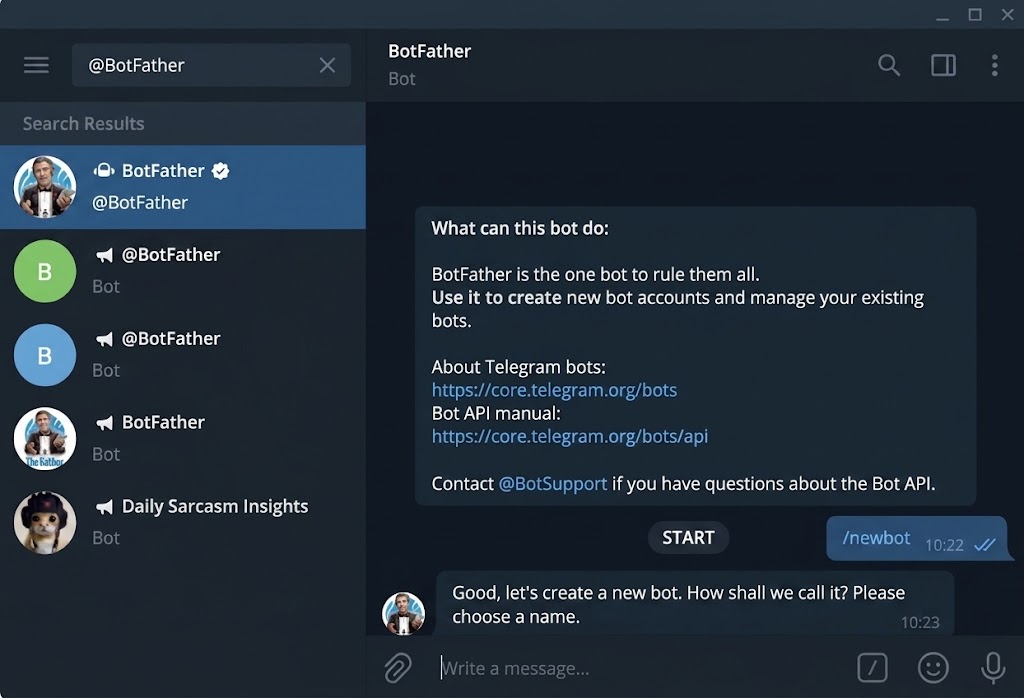
Step 2: Register a New Bot
- Press the Start button or send the
/startcommand. - Send the
/newbotcommand to initialize the registration wizard. - Enter a display name for your bot (e.g., PyDev Trading Alert). This name will be visible in chats.
- Specify a unique username. It must be unique across all of Telegram and end with
bot(for example:pydev_trading_botorPyDevAlertBot).
Step 3: Retrieve Your Telegram HTTP API Token
Once the registration is complete, BotFather will send you a confirmation message containing your access credentials:
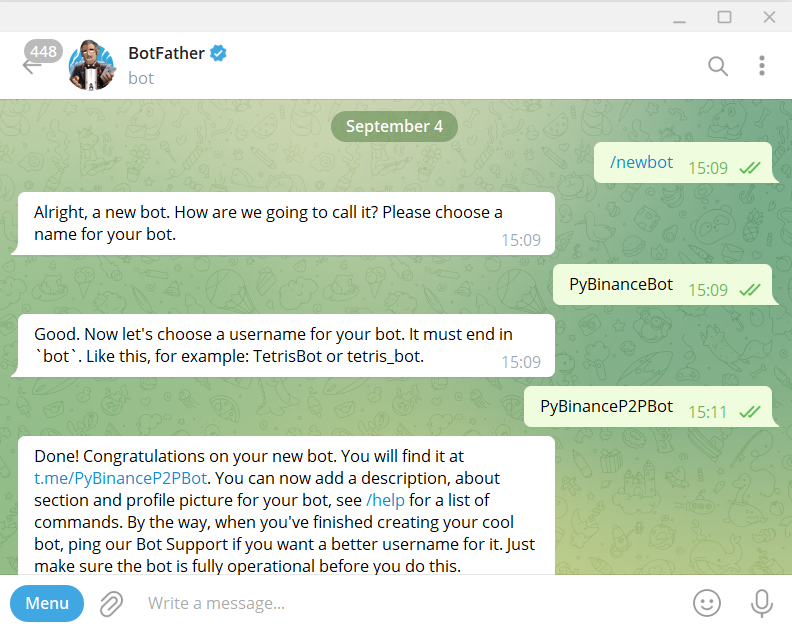
The message contains your secret bot token formatted like this:
5017012087:AAGXATlZLS3l25SxVbXIxXVcOPNqkT1Q5igSecurity Warning: Treat this token like a password. Anyone who has it can control your bot. Store it safely in your project configuration (such as a .env or config.py file) and never commit it to public repositories.